My Turnip Merge Quest: Choosing the Right Hardware
Picking our Playground

Hey there, earthling! In this short section, I want to share how I decided which hardware to pick for the Turnip quest. Mainly, what things I took into account, the advantages and disadvantages of choosing one hardware or other, among other things. Let’s start :D
My objective for this series is to document my own journey in hopes that it might help others along the way. This is not a tutorial/manual on the ‘best’ way to do things. It’s just my personal experience. I hope it helps you find your own path :)
How I Chose My Turnip Hardware
As I already described in the first post, Turnip is a driver used in Adreno devices. Adreno is present in mobiles, tablets, VR headsets, development boards and also laptops. On top of that, you have several GPU models to chose from. So…what device should we pick? I don’t think there is just one answer, so it depends. Our goal for this section is to make it easier to know what Adreno GPU model and device to pick.
Types of Driver Development

Image from Jens Lelie - Unsplash
The first question that I thing we should ask ourselves is what kind of driver development we want to do. Answering that will help us to discard options.
I’ve classified Linux GPU driver development into a few very general categories based on my own perspective:
Functionality Mapping and Feature Implementation
In the case of Turnip, and many more open source drivers, the hardware functionalities of their manufacturers are closed or undocumented. So, developers have to figure out how to communicate with the hardware through reverse engineering and other methods. A very good example is the famous Asahi project. The other part of this is implementing the Vulkan API extensions.
Performance & Optimization
This involves developing and optimizing the shader compiler (in this case IR3), and also profiling the Vulkan command streams, among other things.
Bug and Crash Fixing
Here we ensure the driver stability and fix graphical artifacts.
There are probably more subtypes, but these are the most common ones and the ones that I’m aware of.
How Does Knowing the Type of Developtemt Help Us?

Image from Neil Thomas - Unsplash
Since we are complete beginners in driver development, we should pick the easiest area to start in, which is without a doubt bug and crash fixing. I would really like to start another series of blogs in parallel related to functioanlity mapping and feature implementation (maybe another quest? e.e ) in the near future. I think I’ll learn a lot experimenting with it and I’m veeeery curious about it!
Because we will focus on bug and crash fixing, we should not choose a GPU model that was released very recently, like e.g the X2 Adreno GPUs (which were released about a month ago at the time that I’m writing this).
Why? Because Turnip (and neither Linux) is not stable at all in those GPUs (yet!). They likely have too many bugs and a too much room for improvement. For a new graphics driver developer, would this be ok? I don’t think so. If you can’t properly set up a basic environment or have a more or less stable ground to test things, it would probably be a nightmare for a new developer.
On the other hand, if we had chosen Functionality Mapping, picking a very recent GPU would be a great idea, since there would be a lot of room that kind of work. But for our current goal, stability is better.
Choosing our GPU Model
Image from Nathan Cima - Unsplash
Knowing the type of development we want to do, and that picking the latest GPU model relased is not a good idea, we can also conclude that:
- The older the hardware, the more likely it has better support, and better support = less need for development = fewer developers.
- Better support also means = less room for fixing, so the things to improve would be harder to catch (probably) and harder for newer developers like me.
Assuming all those statements have some truth, we can make the following conclusion:
We need to pick a hardware that is not very old and is still relevant today.
So… based on that, I would need to pick up something that is:
Neither old nor fresh out of the oven.
Like all things in life…something in the middle. But which one?
These are the Adreno GPUs available and the years in which they were released:
| Architecture | GPU Model | Release |
|---|---|---|
| Adreno 600 | Adreno 640, 660 | 2020 |
| Adreno 700 | Adreno 730, 740 | 2022 |
| Adreno 700 | Adreno 750 | 2024 |
| Adreno X1 | Adreno X1-85 | 2024 |
| Adreno 800 | Adreno 830 | 2025 |
| Adreno X2 | Adreno X2 Series | 2026 |
Ok, something in the middle…Let’s see what people are using! If more people are using it, it is probably relevant, which means more developers are working on it.
As I already mentioned in the other post, the subreddits related to emulation on Android are full of people trying very cool stuff on mobiles and tablets. I started exploring what were the most used devices and saw that the Snapdragon 8 Gen 3 GPUs have been very popular lately.
That series seems like “the middle”, but the info that finally made me decide was the Steam Frame. That device was announced at the end of last year, stating that it will use… YES, an Adreno GPU. Specifically the Adreno 750 :) , which belongs to the Snapdragon 8 Gen 3 family.
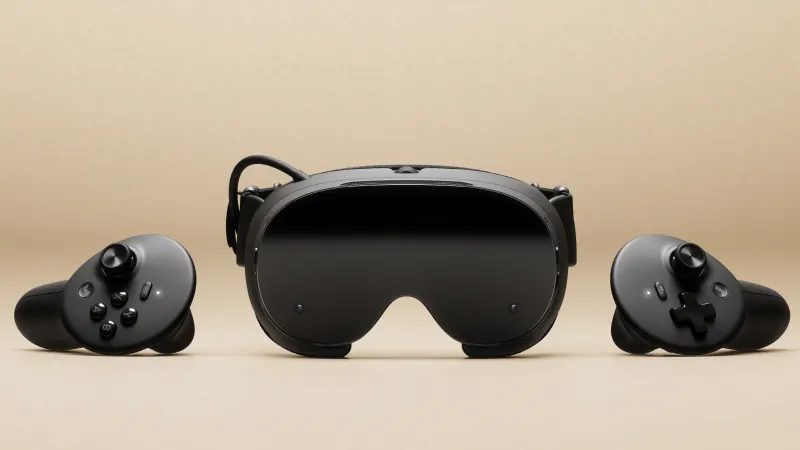
Image from Valve Corporation
- Relevance -> Super check.
- Neither old nor out of the oven -> Check.
Done, decision made, the Adreno 750 it would be ;)
Choosing our Device

Image from Jinhan Moon - Unsplash
The Adreno 750 GPU is present only in these devices: mobiles, tablets and on development boards.
Depending on your budget and preferences, you will choose one or another. In my case, I wanted something cheap and also that would be easy to debug.
Based on that, I made the following conclusions:
. The Development Board: This is the most comfortable one to develop on, but they are very expensive, so I discarded it.
. Mobile vs Tablet: I wanted something where it is easier to see glitches and errors, so this measn bigger screen -> tablet. The downside of picking either of the two is Android. It would be much easier to debug on Linux, but I’ll get use to it ;).
At the end I decided to pick a tablet based on this.
Since I already knew the GPU model and the type of device I wanted, the brand didn’t matter much. I searched for the cheapest option and chose the OnePlus Pad 2. Luckily, I could get a very cheap second hand one here in Germany.
Search for a device that is easy to root. This means that the manufacturer provides documentation on how to unlock the bootloader. In the case of the OnePlus, it was a perfect choise.
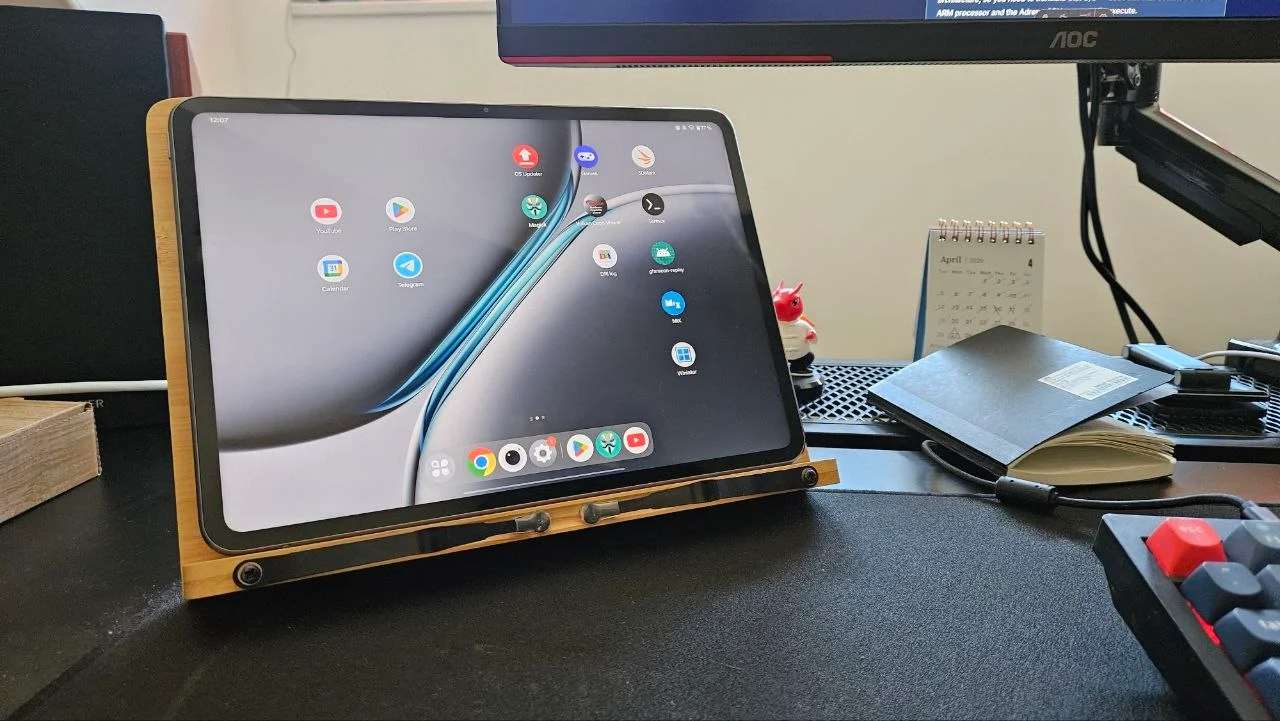
Image from w0rmi
Since I’ve chosen an Android device, some future explanations will be specific to Android (at least at the beginning of the series).
Now we have our hardware to start our quest :)